

a collection of scripts for MikroTik RouterOS
|
|
RouterOS Scripts a collection of scripts for MikroTik RouterOS |



ℹ️ Info: This script can not be used on its own but requires the base installation. See main README for details.
This script is run from scheduler periodically, sending notification on health related events. Monitoring CPU and RAM utilization (available processing and memory resources) works on all devices:
With additional plugins functionality can be extended, depending on sensors available in hardware:
⚠️ Warning: Note that bad initial state will not trigger an event! For example rebooting a device that is already too hot will not trigger an alert on high temperature.


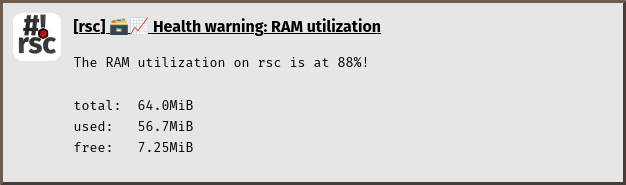

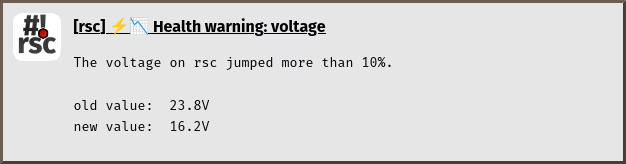




Just install the script and create a scheduler:
$ScriptInstallUpdate check-health;
/system/scheduler/add interval=53s name=check-health on-event="/system/script/run check-health;" start-time=startup;
ℹ️ Info: Running lots of scripts simultaneously can tamper the precision of cpu utilization, escpecially on devices with limited resources. Thus an unusual interval is used here.
Additional plugins are available for sensors available in hardware. First check what your hardware supports:
/system/health/print;
Then install the plugin for fan and power supply unit state:
$ScriptInstallUpdate check-health,check-health.d/state;
… or temperature:
$ScriptInstallUpdate check-health,check-health.d/temperature;
… or voltage:
$ScriptInstallUpdate check-health,check-health.d/voltage;
You can also combine the commands and install all or a subset of plugins in one go:
$ScriptInstallUpdate check-health,check-health.d/state,check-health.d/temperature,check-health.d/voltage;
The configuration goes to global-config-overlay, these are the parameters:
CheckHealthTemperature: an array specifying temperature thresholds for sensorsCheckHealthVoltageLow: value (in volt*10) giving a hard lower limitCheckHealthVoltagePercent: percentage value to trigger voltage jumpsℹ️ Info: Copy relevant configuration from
global-config(the one without-overlay) to your localglobal-config-overlayand modify it to your specific needs.
Also notification settings are required for e-mail, gotify, matrix, ntfy and/or telegram.
RouterOS Scripts documentation generated on Wed, 27 May 2026 09:15:34 +0200 for next/3531/b00a213e
Copyright © 2013-2026 Christian Hesse <mail@eworm.de>
